
My Grass Farm Controls
How the Roblox plot actually plays: move, swing, collect, open Settings, then spend Cash without hunting fake hotkeys.
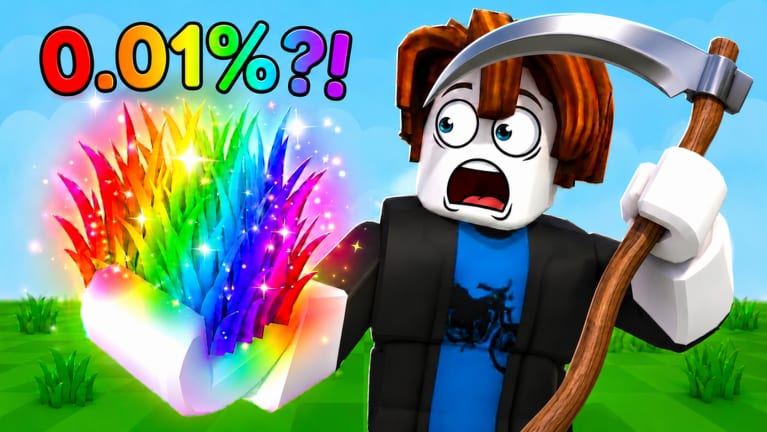
My Grass Farm does not ship a custom fighting-game keymap. It is a Roblox simulation tycoon: you walk, you swing a blade, you pick up hay, you convert hay into Cash, and you tap on-screen buttons for shops, workers, and Settings. This page exists because search queries like “My Grass Farm controls” and “how to play on mobile” still dump people into the wrong lawn game. If a video is titled Build a Ring Farm or My Knife Farm, close it. The Getting Started walkthrough is the first-hour order; this page is the hands-on layer underneath that order.
The experience is free, live since 23 July 2026, and hosts six players per server. Other avatars are not raiding your silo. Your inputs only need to serve your fence.
PC movement and camera
On a keyboard, movement is standard Roblox: W A S D to walk, Space to jump if a prompt asks you to, and mouse drag or right-stick style camera orbit to look around the plot. Shift sprint exists if your Roblox client has it enabled; it is not a My Grass Farm unique bind. There is no secret “mow faster” key. Cut Speed in the shop is how swings get shorter, not a hotkey you missed in a thumbnail.
Left click or the on-screen swing control cuts grass when you are in range. If nothing happens, you are standing on dirt, standing inside a stand, or the tutorial still owns the blade. Walk onto green tiles. Face the clump. Swing again. Then walk to the hay you dropped and collect it before you open a shop and forget the stack.
Phone and tablet
Thumbstick on the left moves the avatar. Camera drag on the right looks around. Jump and swing sit as on-screen buttons the same way other Roblox tycoons do. Rotate the device only if the HUD covers the gear icon; Settings lives in the upper-right, and that gear is how you reach the CODES box after the tutorial. Fat-finger the shop instead of Settings and you will buy Rolls by accident. That mistake is covered on beginner mistakes.
Do not hunt a “mobile exclusive” keymap. One More Grass did not publish a separate phone manual. If a prompt appears, follow it. Those prompts are what unlocks redemption, which is why how to redeem codes starts with “finish the tutorial.”
The three HUD doors that matter
Treat the HUD as three doors, not twenty.
- Settings (gear, upper-right) — Codes, and whatever client sliders Roblox already gives you. Paste MERCHANT, then RELEASE, then BLACKHOLE from the codes hub. Leave if a string fails; the box is not broken just because one blog expired a token on 24 August 2026.
- Shop / upgrades — Cut Speed, Silo Rate, Rolls, Pure Luck, Mutation Luck, land. Spend with the upgrade planner, not with a creator yelling “max luck.”
- Workers — Hire and check that Pirate Farmers or a basic Farmer are actually on grass. How to hire workers and the worker roster belong here, not in Settings.
If a fourth panel appears after a patch, it will show up in Updates once we can see it. We will not invent a fourth bind to fill this paragraph.
Collecting hay and using stands
Cutting without collecting is a common “the game is broken” report. Hay sits on the plot until you walk through it or use the collection prompt the tutorial taught you. Stands convert hay to Cash. If a stand looks jammed, you are standing on the wrong side, the silo is backed up, or you have not processed yet. Slow conversion is a Silo Rate problem, not a missing key. Pair this page with make money fast once you can swing without thinking about the stick.
Workers keep cutting when you close Roblox. They cannot tap Settings for you. Redeem codes while you are in the session. Run the offline farm checklist before you leave so a worker is not staring at an empty rectangle you forgot to expand for the right reason. Expanding is its own lesson on how to expand the farm.
What we refuse to list
No F1–F12 cheat sheet. No “press G to gold grass.” No emulator-only macros. Macros and executors live under Scripts with a warning, and they are not controls. If a YouTube overlay draws fake keycaps over My Grass Farm footage, ignore the overlay and watch the HUD. The real session footage on Getting Started is a better teacher than a Photoshop keyboard.
Rare grass is not a control. Rolling for Gold or rainbow clumps is a shop loop explained on how to get rare grass and ranked on the grass type tier list. Your hands still do the same walk-and-swing. Only the turf value changes.
A five-minute control drill
- Finish the tutorial so Settings accepts text.
- Walk a rectangle around your starter grass without opening the shop.
- Cut, collect, process one stack so you feel the silo.
- Open Settings and redeem live strings on the codes hub.
- Buy Cut Speed, confirm a worker is swinging, then log the session with the offline checklist.
If that drill feels clumsy on a phone, it is the stick, not a missing PC bind. Play another ten minutes before you buy luck. If it feels clumsy because you keep opening the wrong panel, read beginner mistakes next.
When a patch moves the gear icon, Discord will know before a fake keymap blog will. Bookmark the official Discord and the Roblox page. There is no public Trello. After you can move without thinking, go back to Getting Started and spend the Cash you just unlocked.
Frequently Asked Questions
Quick answers to the most common farm questions.
What are the My Grass Farm controls on PC?
Roblox WASD to move, mouse to look, click or the on-screen swing to cut. Shops and codes are HUD buttons, not extra hotkeys. Details stay on this page and in Getting Started.
How do you play My Grass Farm on mobile?
Left thumbstick to walk, right side to look, on-screen swing to cut. Open the upper-right gear for codes after the tutorial. Same loop as PC; see how to redeem.
Is there a key to cut grass faster?
No. Buy Cut Speed in the shop and follow the upgrade planner. A “secret bind” thumbnail is the wrong game or a fake overlay.
Where is the code menu?
Settings, upper-right gear, after the tutorial. Working strings live on the codes hub.