
My Grass Farm Guides
Walkthroughs for the loops players actually search: play, earn, hire, hunt grass, and expand.
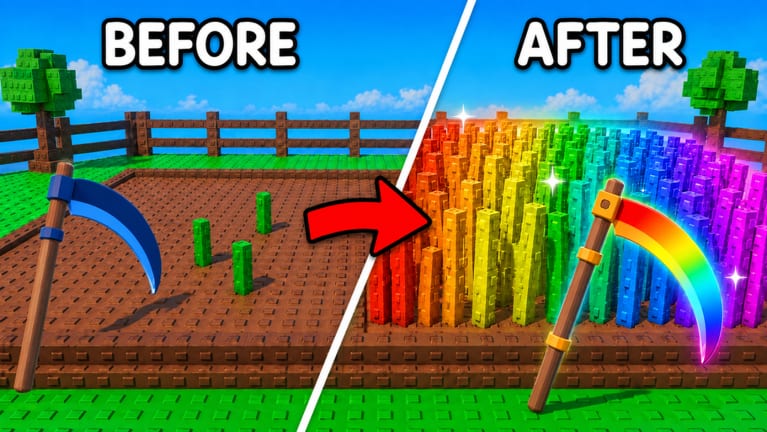
This hub is the map for every My Grass Farm tutorial on the wiki. The game is a Roblox tycoon: you cut grass, collect hay, process it into Cash, then spend that Cash on a sharper blade, more land, and workers who keep mowing after you log off. You do not need a twenty-tab theorycraft document. You need the right order.
Start here if you just spawned. Start at money if your plot already exists but Cash feels slow. Start at workers if you are about to leave the session. Start at rare grass if you are chasing the rainbow clump from the store art. Start at expand when the fence feels too small.
Pick a guide by problem
- New account, still on the tutorial blade: Getting Started.
- You understand the loop but want Cash faster: how to make money fast.
- You want hay while you sleep: how to hire workers.
- You want Gold, rainbow, or any non-green turf: how to get rare grass.
- Ready to buy land: how to expand your farm.
- The HUD feels alien on PC or phone: controls.
- You already spent Cash in the wrong shop: beginner mistakes.
Each of those pages links the others on purpose. Expanding land before you have workers is how you own a bigger empty rectangle. Hiring every named role before Cut Speed is how you own a crowd that still swings slowly.
How these guides were built
We watched real My Grass Farm sessions, including first-hour gameplay, AFK worker footage, rare-grass hunts, and long money-farm recordings. We also cross-checked codes and systems against public Roblox metadata: the experience is live, free, six players per server, created 23 July 2026 by One More Grass. We do not invent drop tables. Where official numbers are missing, the page says so and points you to Discord instead of fake percentages.
Codes still matter on day one. Redeem them before you theorycraft. The codes hub and how to redeem sit one click away because RELEASE’s Pirate Farmers change every hiring guide.
Pair guides with lists and tools
Guides tell you what to do this session. Lists tell you what is worth buying. Tools are checklists you can run in under two minutes.
Use the worker tier list next to the hiring guide. Use the grass type tier list next to the rare grass guide. Use the upgrade planner next to money-fast. Use the offline farm checklist before you close Roblox.
If a patch lands, skim Updates so you are not following a pre-merchant shopping order. The Merchant update page is the short version of why MERCHANT exists.
What these guides will not do
They will not promise a script that cannot ban you. Automation lives under Scripts with a warning. They will not list a Trello that does not exist. Community news is the Discord link. They will not pretend My Grass Farm is a single-player campaign; servers hold six farmers, so expect other avatars on the same experience even if your plot is personal.
Read one guide fully rather than skimming five titles. The first hour compounds. A wrong first shop click costs more than a missing rainbow screenshot.
When you finish the hub map, open Getting Started if you have not tried the live strings yet. If you already have Farmers standing around, skip to make money fast and hire workers so they have a job. If you keep missing the gear icon, drill controls for five minutes first.
Frequently Asked Questions
Quick answers to the most common farm questions.
Which My Grass Farm guide should I read first?
New players should open Getting Started and the codes hub. Returning players who feel broke should open make money fast.
Do these guides work after I go offline?
The loop continues only if workers are hired. Read how to hire workers and run the offline checklist before you leave.
Where are the YouTube walkthroughs?
Each child guide that has a real session embeds one video in the middle of the article. This hub stays as the map so we do not duplicate embeds.
Are the guides official?
No. They are fan-made. Confirm patches on the Roblox page or Discord.